SyncDx
(Dialogue Assembly & Alts Finder) Streamline your dialogue editing workflow
The essential tool for dialogue editors and sound assistants working in film and television. Conform production audio to picture edits in minutes, find alternate takes by searching specific lines, and export organized AAF's — all from one app, entirely offline.
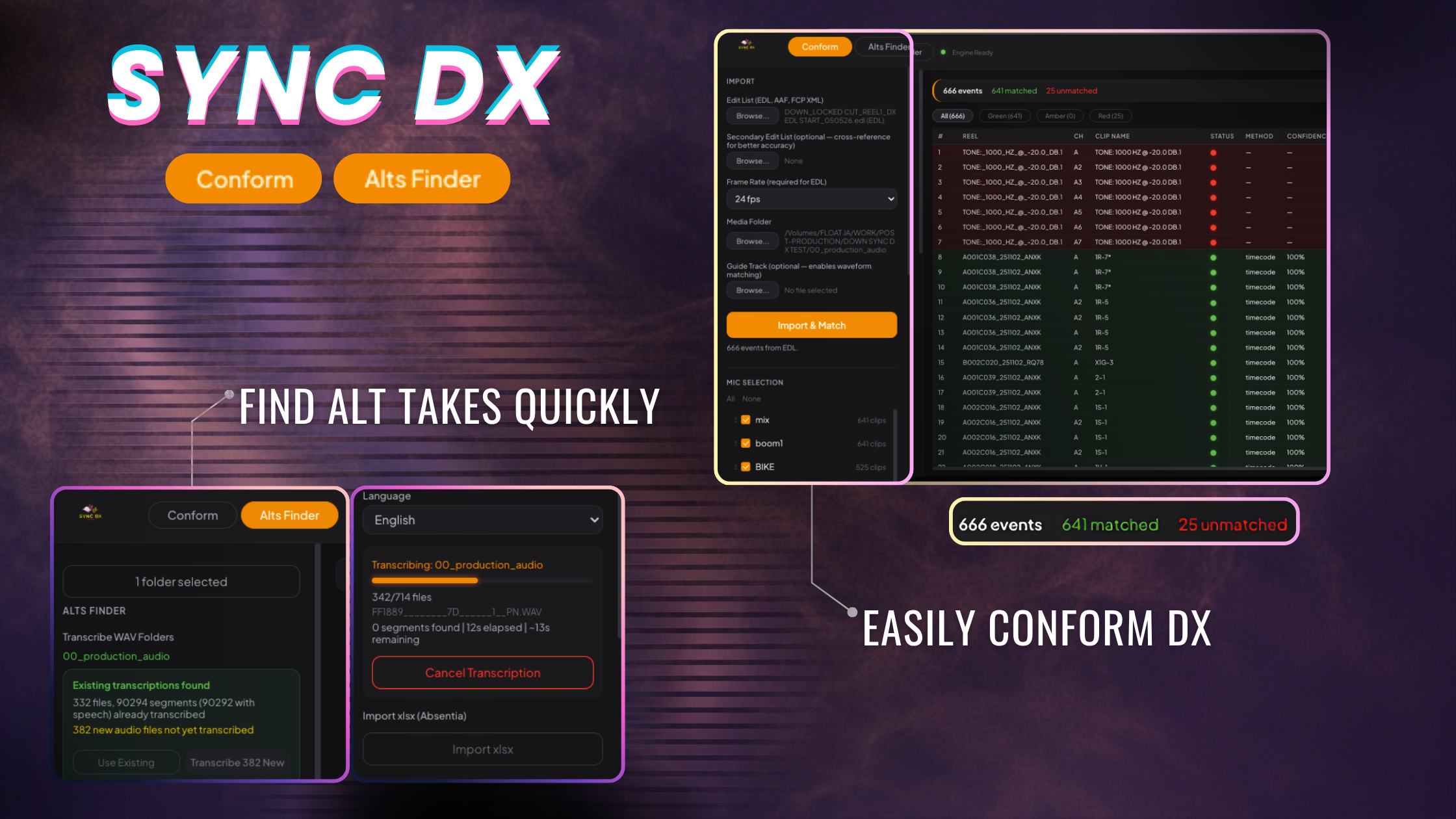
Features
KEY FEATURES:
Conform
- Import EDL, AAF, FCP XML, or OTIO edit lists — auto-detected, no manual format selection
- Four-step matching engine: roll name, file name, timecode, and waveform cross-correlation
- Four track layout modes: by take, by sequence, by scene, or by mic type
- Full mic selection with channel extraction from polywav production audio
- Export Pro Tools-ready AAF with embedded audio or external references
- Scene and picture cut reference tracks for visual orientation in your session
- Handles 14 frame rates including drop-frame, with automatic frame rate conversion between production audio and picture
Alts Finder
- Built-in speech-to-text transcription — runs locally on your machine, no cloud, no subscription
- GPU-accelerated on Apple Silicon, optimized CPU processing on Intel
- Search dialogue by word or phrase across entire production audio folders
- Filter by scene, take, or character with smart autocomplete
- Preview results with canvas-based waveform viewer — click to seek, drag to select regions
- Multi-clip stacked waveform comparison (2-4 clips side by side)
- Fill and room tone finder — locate quiet gaps between dialogue for patching
- Export selected alts and fill to AAF with configurable handles and clip naming
- Spot clips directly to Pro Tools — at cursor or original timecode, with per-mic expansion
- Favorites and removed takes for quick organization
Flexible Transcription
- Mix and individual mic transcriptions coexist in a single database
- Transcribe incrementally — add new scenes or mic modes without re-doing previous work
- Transcription Manager shows per-scene and per-mode breakdown at a glance
- 14 languages supported
Built for Professionals
- macOS native (Apple Silicon and Intel)
- Dark theme designed for edit suite environments
- No iLok required
- Offline — your audio never leaves your machine
Tech Specs
macOS requirements
- macOS 13 Ventura to macOS 15 Sequoia
- Minimum: Apple M1 or Intel Core i5
- Disk space required during install: 2 GB
(6th gen+), 8 GB RAM.
- Transcription models: Downloaded on first use
- Recommended: Apple M1 Pro or later, 16 GB RAM
- Apple Silicon (M1, M2, M3, M4) fully supported with GPU-accelerated transcription.
- Intel (Core i5, i7, i9) fully supported with optimized CPU transcription.
File Size
- Download Size: ~302 MB
- Disk space required during install: 850 MB
Get SyncDx
$299.00One-time purchase